

RE: How do I upload and manage Moldex3D CAE projects within the iSLM platform?
Answered
How do I upload and manage Moldex3D CAE projects within the iSLM platform?

Best answer
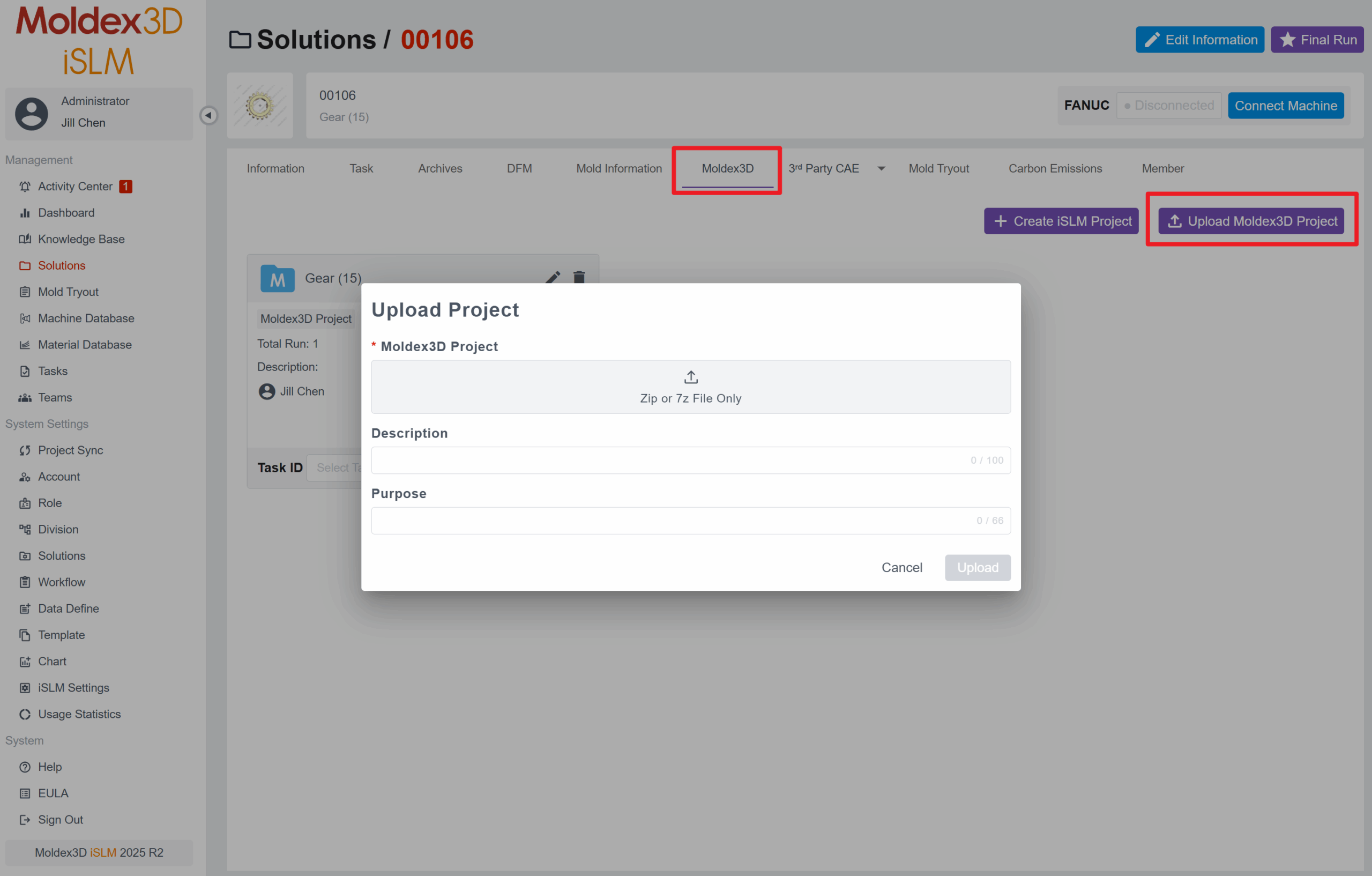
You can upload the CAE project to the iSLM platform by clicking the Upload button on the Moldex3D page under the iSLM Solutions function. Multiple CAE projects can be uploaded within a single solution, and you can also manage all projects from this page. By clicking the More button on any project, you can view and verify the results of each analysis run.