

RE: 為什麼登入後側欄的畫面與說明手冊不同呢?
安裝了 iSLM Personal Mode,開啟畫面後發現側欄資訊與手冊上顯示的略有不同,缺少 Accout, Division, Mold Tryout 這幾個功能,請問要如何開啟這些功能呢?

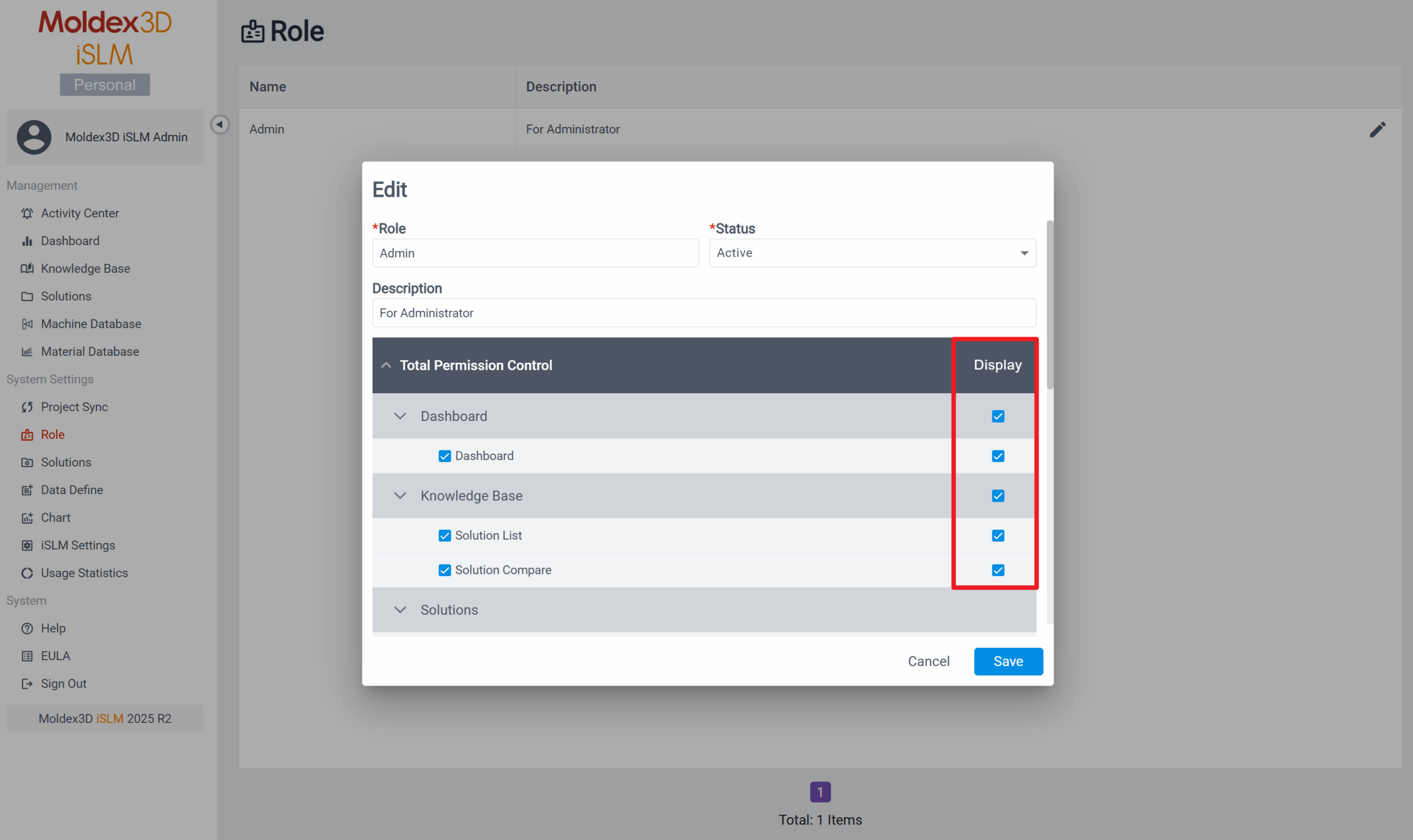
iSLM – Personal Mode 目前能檢視並使用的功能項目為:
Management: Activity Center、Dashboard、Knowledge Base、Solutions、Machine Database、Material Database
System Settings: Project Sync、Role、Solutions、Data Define、Chart、iSLM Settings、Usage Statistics
System: Help、EULA、Sign Out
*若發現沒有以上功能,請點擊 Role 並確認是否已將所有功能的瀏覽權限開啟;若無開啟瀏覽權限,則在側欄功能選單上並不會出現該功能名稱。